Syncing incidents to ServiceNow
Last updated: February 20, 2026
Once you've set up your integration with ServiceNow, you can start to automatically create incidents in ServiceNow from incident.io. That way, you can ensure that all relevant information happening in our platform is also tracked in ServiceNow for any auditing, regulatory or internal process requirements you may have. We will also sync any work notes/comments and image attachments added to your ServiceNow incident back to incident.io.
🔥 Creating (and editing) incident tickets
Once incident.io is connected to ServiceNow, you'll want to head over to Settings → Incident tickets.
You'll first need to create an incident ticket template. When we sync information about an incident back to ServiceNow, we will need to know how to populate your required fields (i.e. description, caller), as well as any optional ones.
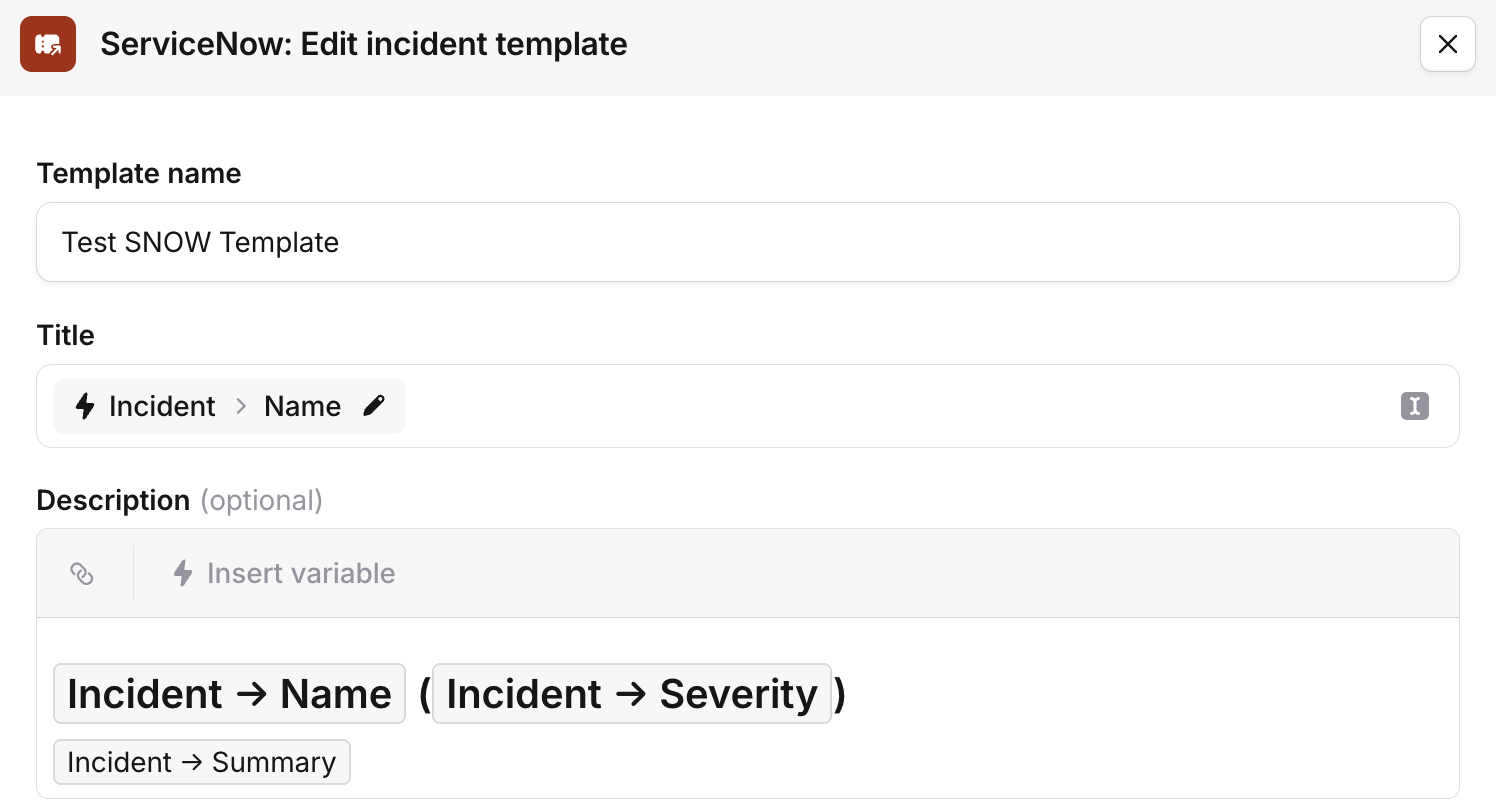
You can create multiple templates (depending on your billing plan) and use conditions to select which one to use in certain circumstances. For example:
You could route any engineering-related incidents to Jira
Then, route any security-related incidents to ServiceNow
Once you have a ServiceNow incident ticket template, you can enable 'Create tickets.' This is a toggle under the template(s) you just created.
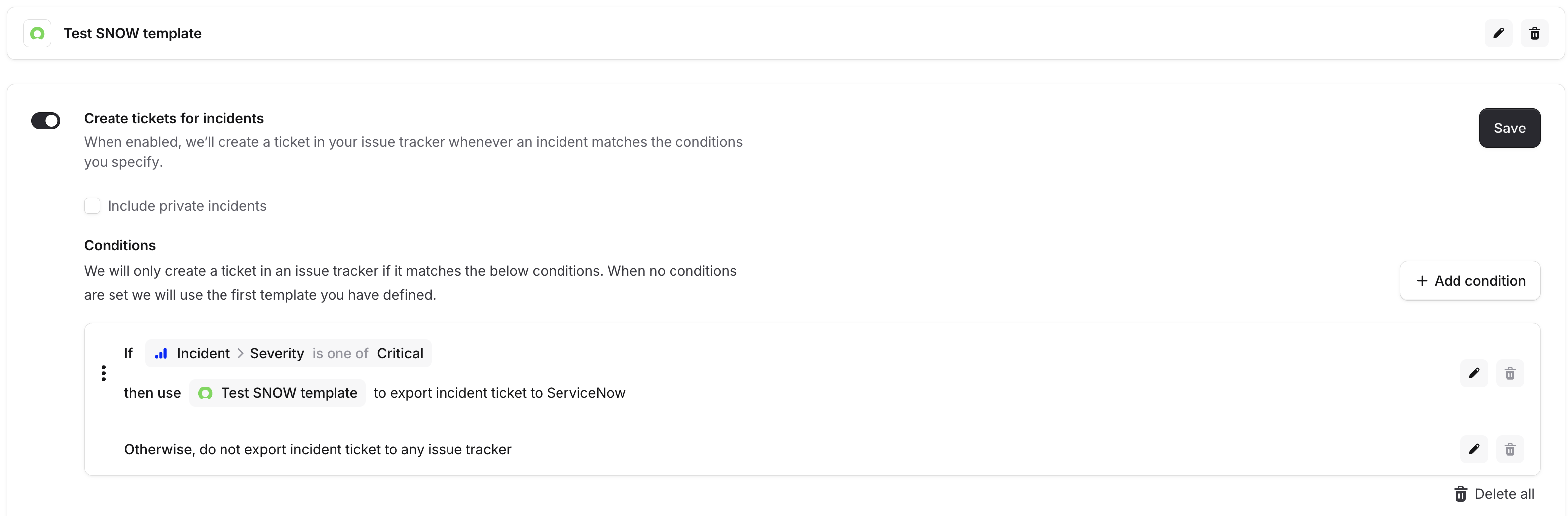
If there are no conditions specified we will use the first template in the list and create a ticket for all incidents. If you only wish to create a ticket for certain incidents (ie. only Security incidents or only those with 'Critical' severity) then you'll need to set up some conditions.
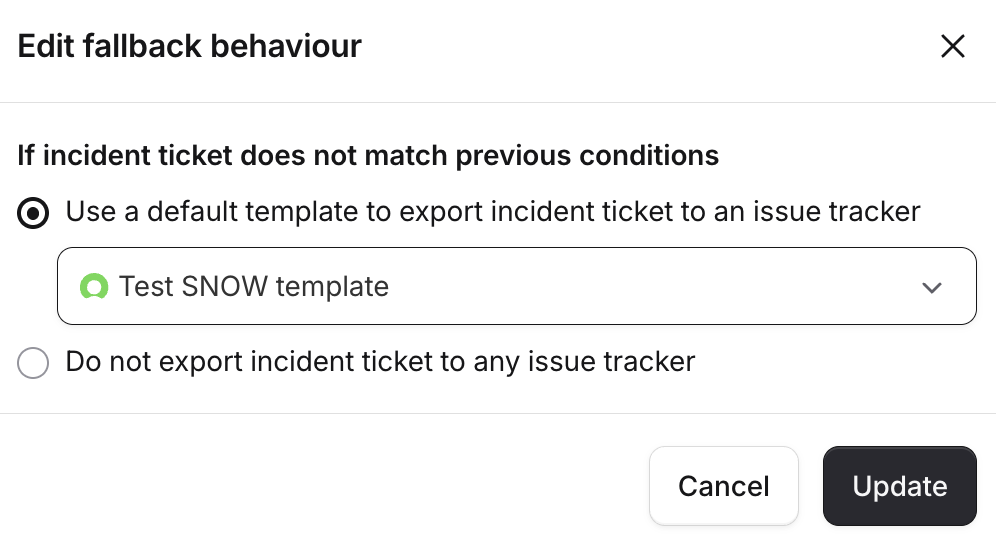
By default if you have created at least one condition we will not create a ticket if there is no match.
You can edit this 'no match' fallback behaviour to enable always creating a ticket. For example:
You could export any engineering-related incidents to Jira
Then, export any security-related incidents to ServiceNow
If no match, default export to the ServiceNow incident ticket template
Private incidents
If you do wish to create incidents for private incidents created in incident.io you can enable this with the checkbox.

Field mappings between incident.io and ServiceNow
For some additional context when building your incident ticket templates, please view our mappings for fields in incident.io to ServiceNow.
Incidents
Incident name:
short_descriptionDescription is as set in your template
Incident state: fixed value 1 (New)urgency: fixed value 2 (Medium)impact: fixed value 2 (Medium)opened_by: fixed value integration_user
Follow-ups
Follow-up title:
short_descriptionFollow-up description:
descriptionLinked incident's
external_issue_reference:parentstate: fixed value 1 (Open)
State mappings
1 (New), 2 (InProgress), 3 (OnHold), 4 (Pending), 5 (AwaitingProblem), all become "Open" in incident.io.
6 (Resolved), 7 (Closed) become "Completed"