How do I mention the Incident Lead in a message or nudge?
Last updated: September 30, 2025
Context
When configuring messages in workflows or nudges for incidents, you may want to include a mention of the Incident Lead to ensure they are notified. This requires using the correct syntax to properly mention the user in Slack.
Answer
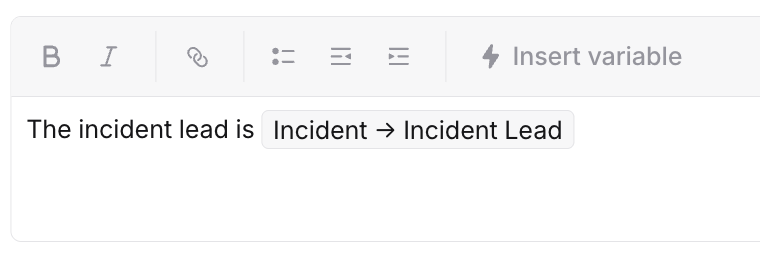
To mention the Incident Lead in a Slack nudge prompt, simply use Incident->Incident Lead in your configuration. The system will automatically handle the proper Slack mention formatting - there's no need to add the @ symbol before the variable.
Example: